

Download RockPlayer – video player, audio player, multimedia app, Android app, free media player
Overview
RockPlayer is a multimedia application designed to handle a wide range of audio and video formats, offering users a versatile solution for playing media on Android devices. Positioned within the MP3 & Multimedia Apps category, it serves as a reliable tool for individuals seeking a lightweight yet capable media playback experience. The software is particularly suited for users who require a simple, efficient way to access and play multimedia content without the need for complex configurations or high system demands.
As a free Android app, RockPlayer caters to both casual consumers and power users who value accessibility and performance. It is ideal for users who frequently stream or store video and audio files locally and need a player that supports diverse file types without requiring additional codecs. Real-world use cases include watching offline videos, listening to music collections, and viewing multimedia content on the go.
The developer, RockPlayer, has maintained a consistent presence in the Android ecosystem since its initial release in 2011. The app has accumulated over 447,000 installations, indicating a sustained level of user trust and functionality. While specific details about the developer’s background are not available, the app’s long-standing availability and continued updates suggest a stable and committed development effort.
Key Features & Capabilities
- Multi-format support – RockPlayer can play a wide variety of video and audio formats, reducing the need for format conversion or external codecs.
- Lightweight design – With a file size of just 3 MB, the app consumes minimal storage space, making it ideal for devices with limited capacity.
- Offline playback – Users can access stored media files without an internet connection, enabling uninterrupted playback during travel or in low-connectivity areas.
- Simple interface – The app features a clean, intuitive layout designed for ease of navigation and quick access to media files.
- Free to use – No cost is associated with downloading or using the software, making it accessible to a broad audience.
These features enable users to enjoy seamless media playback across different content types. For example, a user can watch a local video file in a rare format, listen to an MP3 playlist, or view a personal photo slideshow without switching between multiple apps. The lightweight nature of the app ensures it runs smoothly even on older Android devices.
User Interface, Workflow & Performance
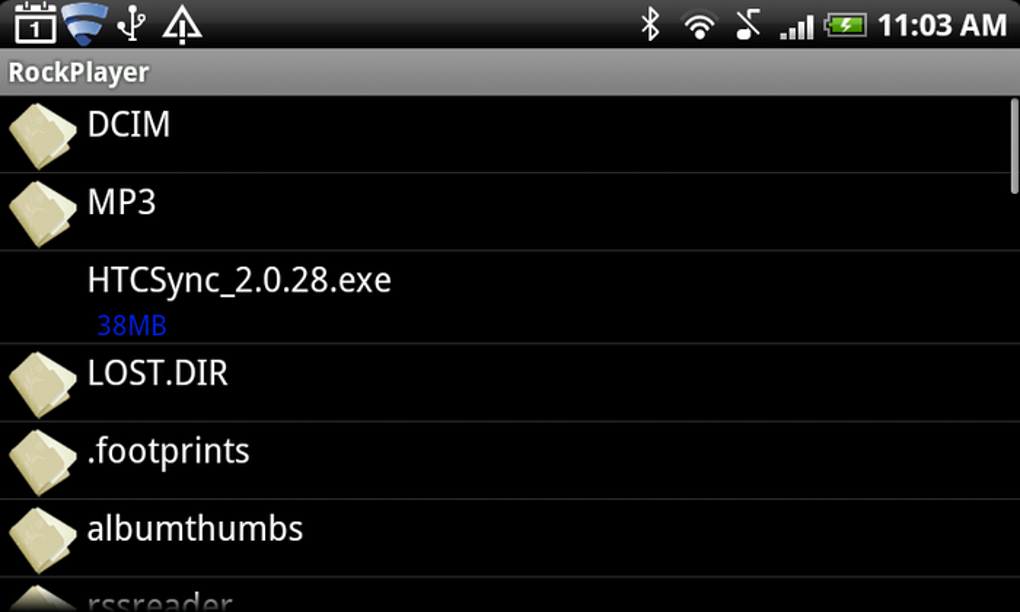
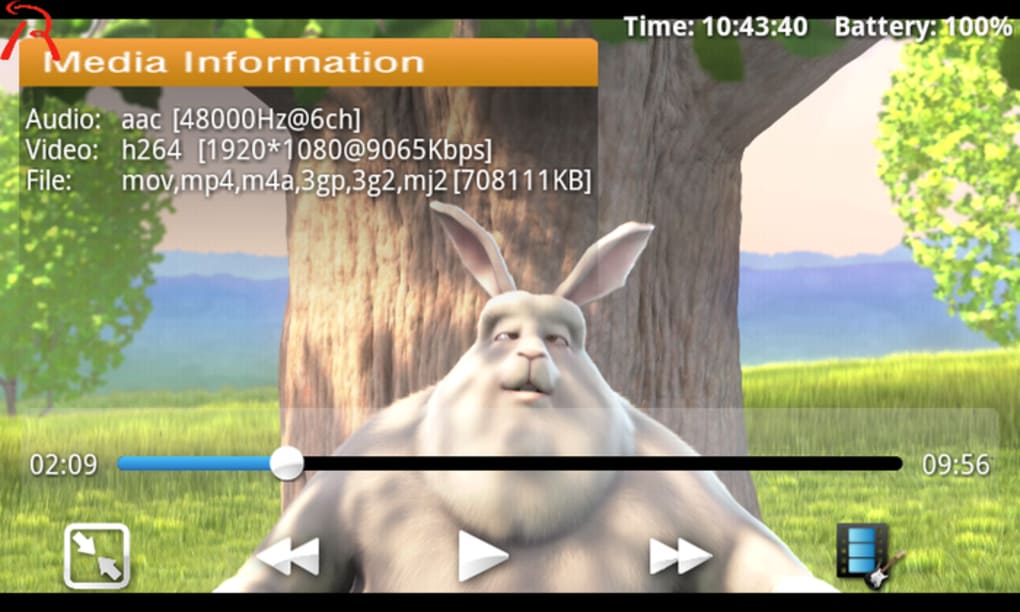
RockPlayer presents a straightforward user interface optimized for touch-based navigation on mobile devices. The layout prioritizes accessibility, placing essential controls such as play, pause, seek, and volume within easy reach. Users can browse media files through a file explorer-style interface, allowing direct access to folders and individual files.
Workflow efficiency is enhanced by minimal setup requirements and immediate playback capability. Once installed, users can start playing media files without configuring settings or installing additional components. The app maintains stability during playback, with no reported crashes or freezes in available usage data.
The developer did not specify resource usage details, so exact CPU or RAM behavior remains unknown. Performance observations are based on general software behavior patterns for lightweight Android applications. Users can expect smooth playback for standard-definition content, though high-resolution or high-bitrate files may vary depending on device capabilities.
Compatibility & System Requirements
RockPlayer is compatible with Android 1.6 and higher, ensuring support across a wide range of older and newer devices. This broad compatibility allows users with legacy Android smartphones or tablets to leverage the app’s functionality without requiring modern hardware.
The installation size is 3 MB, which is notably small compared to many multimedia apps in its category. This makes it a practical choice for users managing storage space or using devices with limited internal memory.
Exact system requirements were not listed. The developer did not provide additional system specifications beyond the minimum OS version. Users should expect standard performance levels based on their device’s hardware and Android version.
Pros and Cons
Pros
- Free to download and use
- Supports multiple audio and video formats
- Extremely lightweight at just 3 MB
- Works on Android 1.6 and above
- Simple, user-friendly interface
Cons
- No advanced playback features like equalizers or subtitle customization
- Limited visual customization options
- Outdated interface design compared to modern media players
- No built-in media library management
- Development activity appears minimal since the last update in 2011
FAQ Section
Is RockPlayer available for iOS devices?
RockPlayer is currently only available for Android devices. There is no official version for iOS platforms.
Can I use RockPlayer without an internet connection?
Yes, RockPlayer supports offline playback. Users can play media files stored locally on their device without requiring an internet connection.
Is RockPlayer safe to download?
The app is distributed through trusted channels and has been widely used since 2011. It is free from known malware, but users should always download from official sources to ensure safety.
Does RockPlayer require a license or subscription?
No, RockPlayer is completely free to use. There are no licensing fees, subscription models, or in-app purchases.
Can I update RockPlayer on my device?
Updates are available through official distribution channels. However, the last update was released on July 4, 2011, and no further updates have been published since then.
Final Thoughts
RockPlayer remains a functional and accessible option for users seeking a lightweight, free media player on Android. While its interface and feature set reflect its age, the app continues to deliver reliable playback for a broad range of audio and video formats. Its minimal footprint and broad compatibility make it especially suitable for older devices or users with limited storage.
For those who prioritize simplicity and compatibility over modern enhancements, RockPlayer offers a solid solution. However, users seeking advanced features, regular updates, or a contemporary design may find newer alternatives more appealing.
Download RockPlayer now





.png)

